
Your loan files, read for you.
FloodCaliber™ runs inside your environment and does the reading and the arithmetic. You check, correct with a reason, and a second reviewer approves.
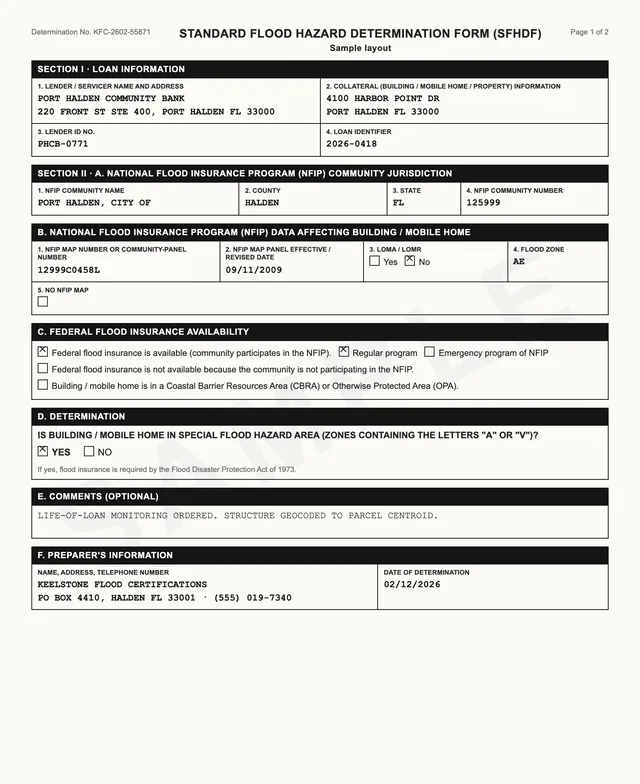
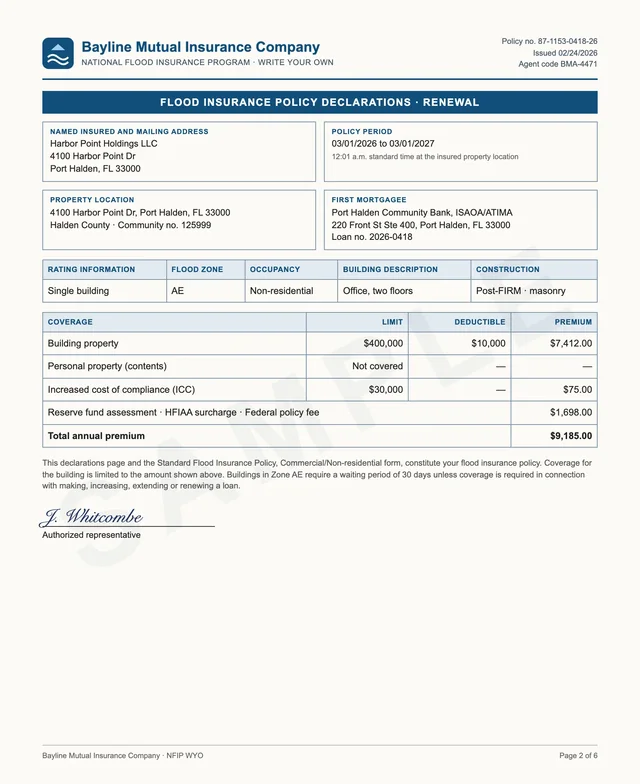
Read from the flood policy
- Policy endsPage 2Mar 1, 2027
- Flood zonePage 2AE
- Building coveragePage 2$400,000
Ready for you to check
In short, for flood and servicing teams: FloodCaliber™ reads your loan files and works out the coverage each building needs, with the page behind every value. You check and correct, and a second reviewer approves.
The hard files
Can it handle the files that take longest?
Yes. The single-family file is rarely the problem. These are, and each is worked the same way every time.
- Several buildingsEach with its own required amount.
- Condominiums$250,000 times the number of units.
- Contents and private policiesContents count where they secure the loan; private policies are read like NFIP ones.
Bayview Commerce Park LLCThree buildings and contents · renewalSample
| Building | Zone | Required | In place |
|---|---|---|---|
| Office | AE | $500,000 | $500,000 |
| Contents | AE | $120,000 | $0 |
| Warehouse | AE | $210,000 | $210,000 |
| Caretaker’s houseHouse | X | Not required | |
- Required
- $830,000
- In place
- $710,000
- Short: contents not insured
- $120,000
Conflicts
What if two documents disagree?
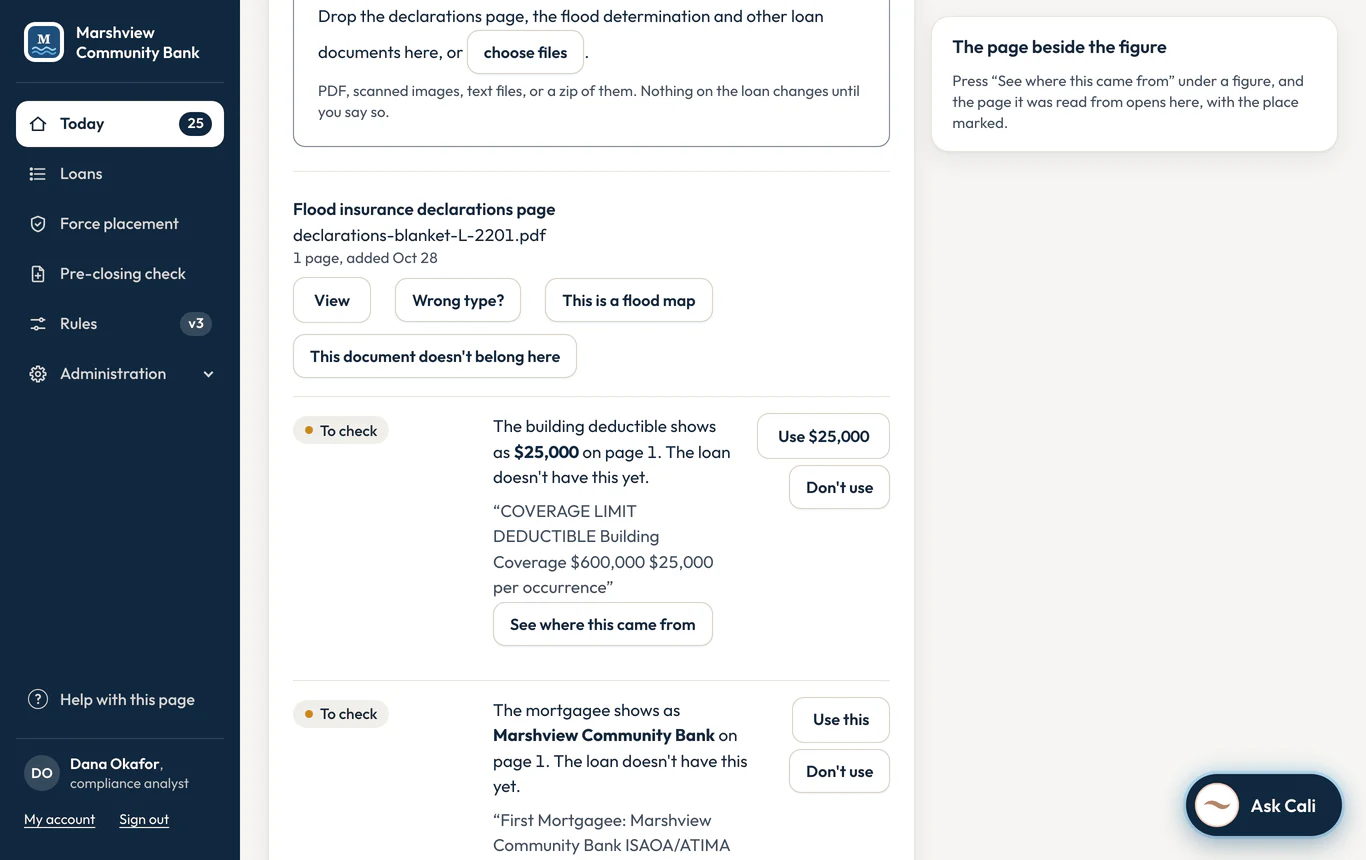
Both values are shown with their pages, and you decide which one to use. Nothing on the loan changes until you say so.
- Click any number and its highlighted page opens next to the calculation.
- Every correction needs a reason and is saved as a new version.
- The calculation reruns the moment you correct a value.
Your day
What does my day look like?
You check and decide. The rest is prepared.
Start with what’s flagged
Shortfalls, conflicts, missing documents and expiring policies, with Cali explaining each one.
Check and correct each value
Fix a value with a reason, or hand Cali a renewal or addendum and confirm the change it proposes.
Send for approval
A second reviewer approves. The workbook, report and evidence package are built for you.
Deadlines
Who keeps track of lapses and the 45 days?
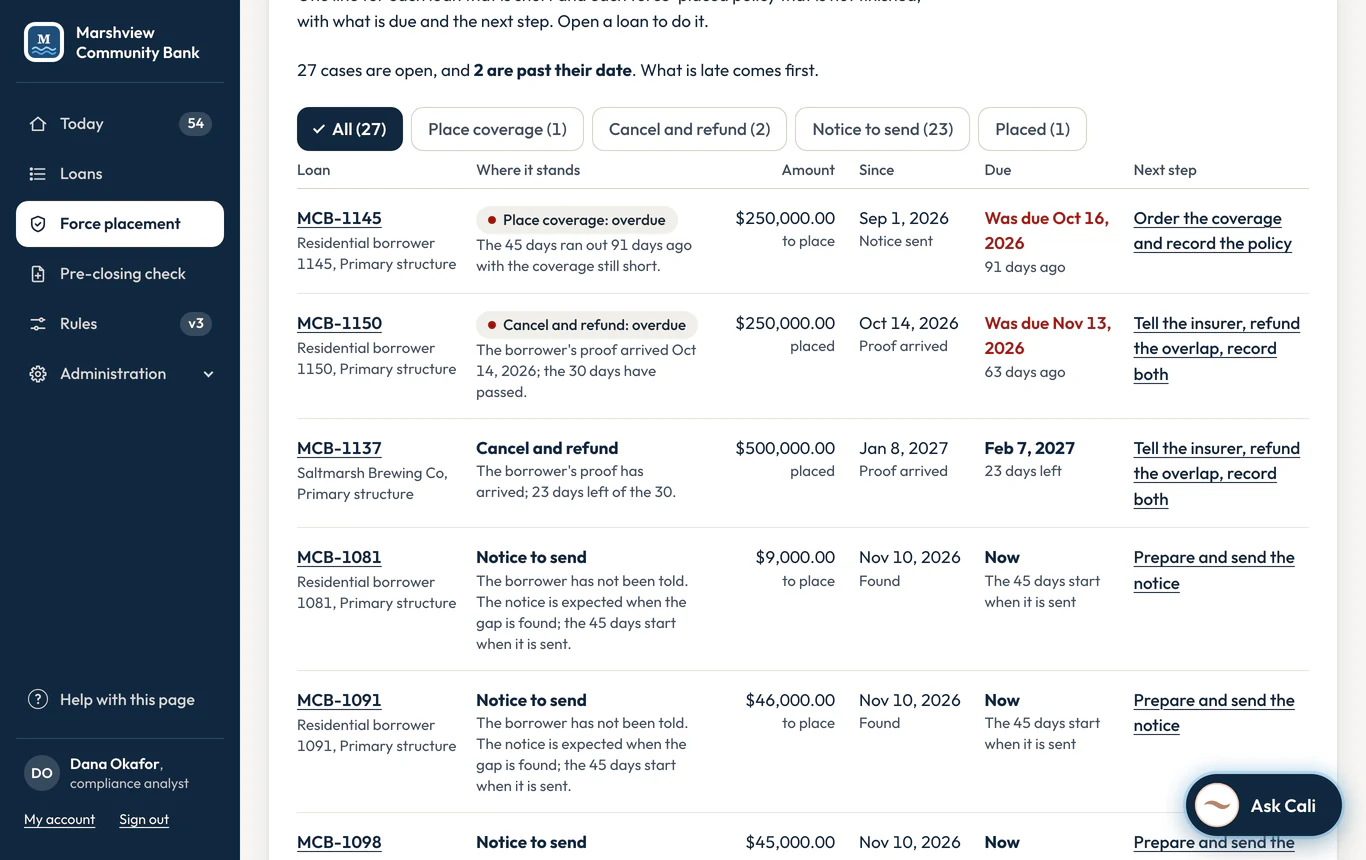
FloodCaliber™ does. No spreadsheet of notice dates: every open gap is on one board with the days remaining, and what is late comes first.
Questions flood teams ask
More answers on the FAQ page.
Which documents can it read?
Loan approvals, appraisals, Standard Flood Hazard Determination Forms (SFHDFs), NFIP and private flood policies, hazard policies, cover letters and notices. More on private policies in our guide to private flood acceptance, and every federal rule in flood insurance requirements for lenders.
Can I correct a value?
Yes. Every correction needs a reason and the source page, it’s saved as a new version, and the case goes to the second reviewer. Where two documents disagree, the choice and the reason are recorded.
What can Cali do?
Cali, the AI review assistant, answers questions with the page behind the answer, reads documents you drop into the conversation, and proposes edits you see before and after. Nothing changes until you confirm.
Does it replace my judgment?
No. FloodCaliber™ prepares the review, and people decide. Nothing is approved without a reviewer, and the person who prepared a review can’t approve it.
See it on a file like yours.
Bring your hardest file type: several buildings, contents, a condo or a private policy. We’ll walk through it with you.
When you book a demo
- Tell us which files take your team longest.
- See one worked from loan files to approval.
- Get a written scope and price for your institution.