
Your loan system in, the result back on the loan.
How loans reach FloodCaliber™ without anyone retyping them, and how each result goes back onto the record your lenders already use.
- 9 steps, about two minutes
- Nothing to fill in
- Illustrative screens, fictional data
In short: Loans arrive as a file your loan system already exports, or are read straight from the system. Every loan is checked the same way and its result goes back onto the loan record. It all runs inside your environment.
FloodCaliber™ with your loan system, step by step
The nCino and Salesforce connections are built for those systems.
-
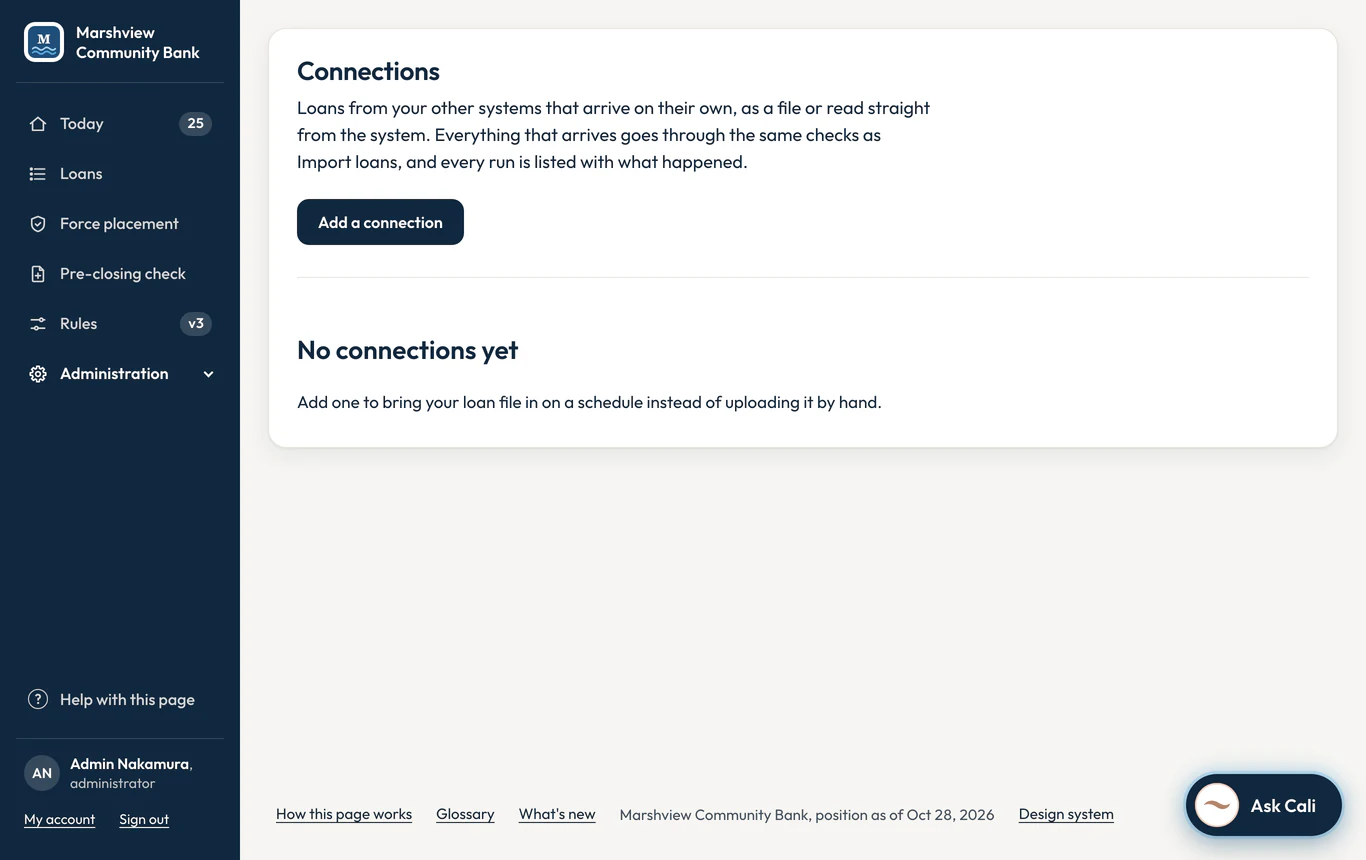
Your loan system connects on the Connections page, where an administrator adds a connection. -
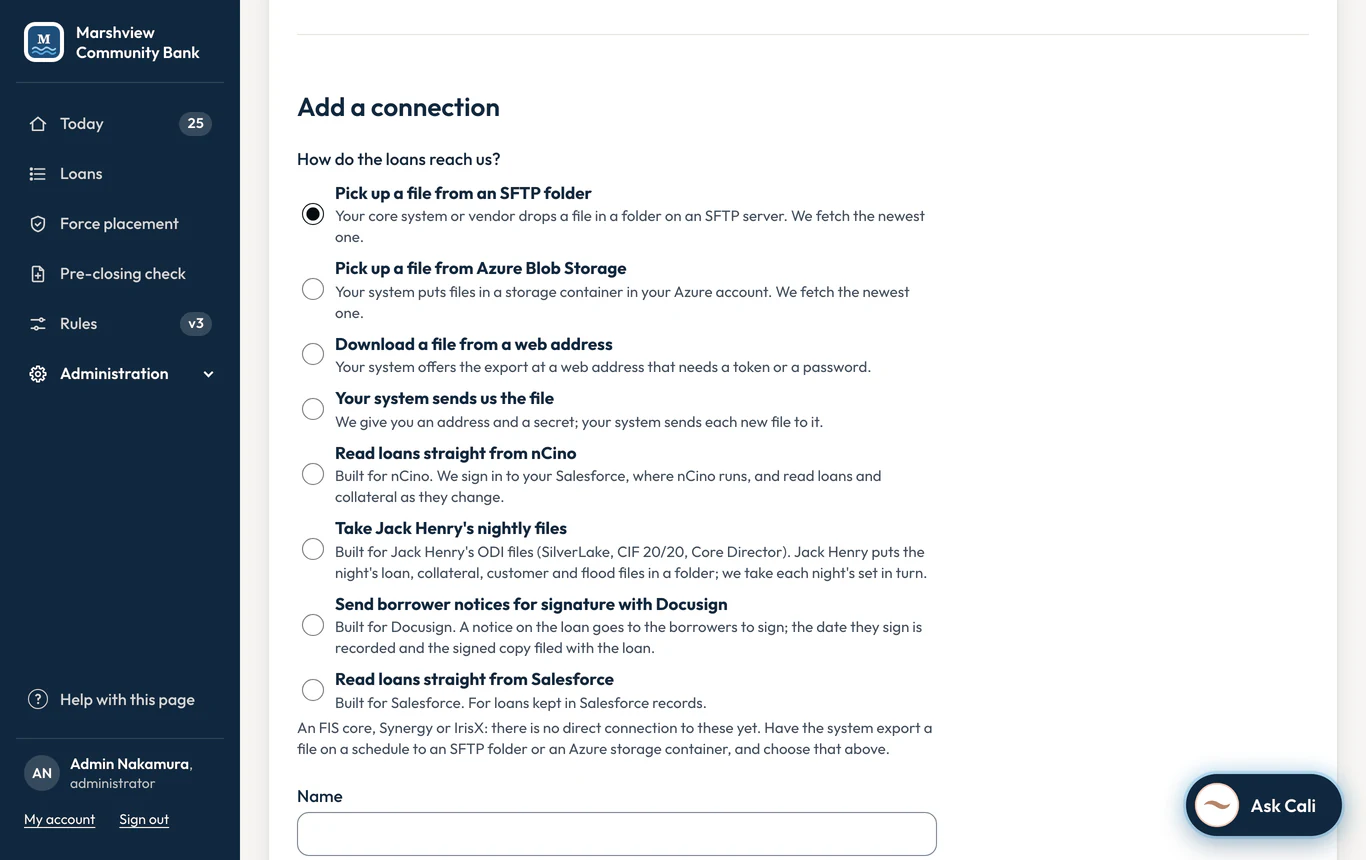
Loans can arrive as a file your system already exports, or be read straight from the system. -
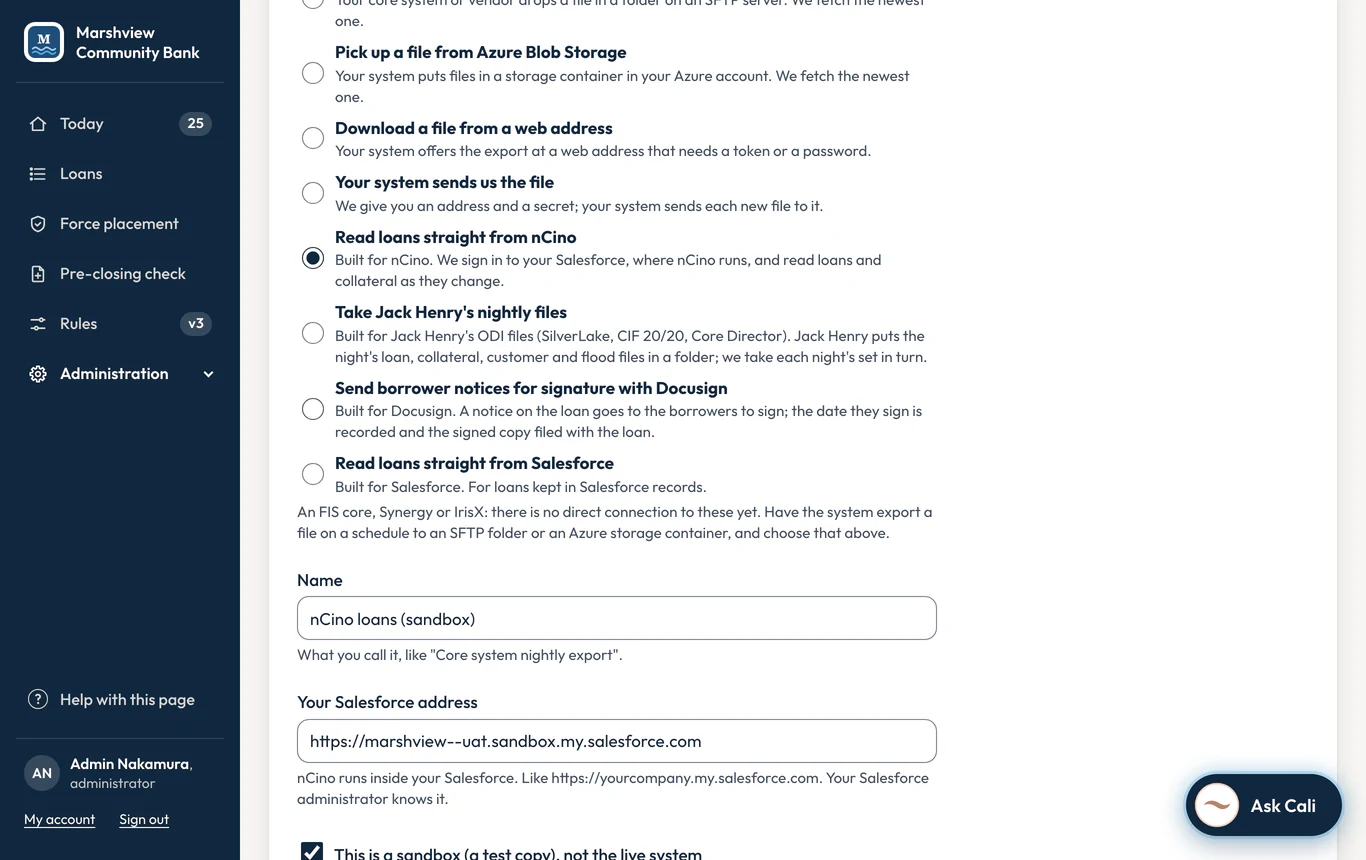
The connection built for nCino reads loans and their collateral as they change. -
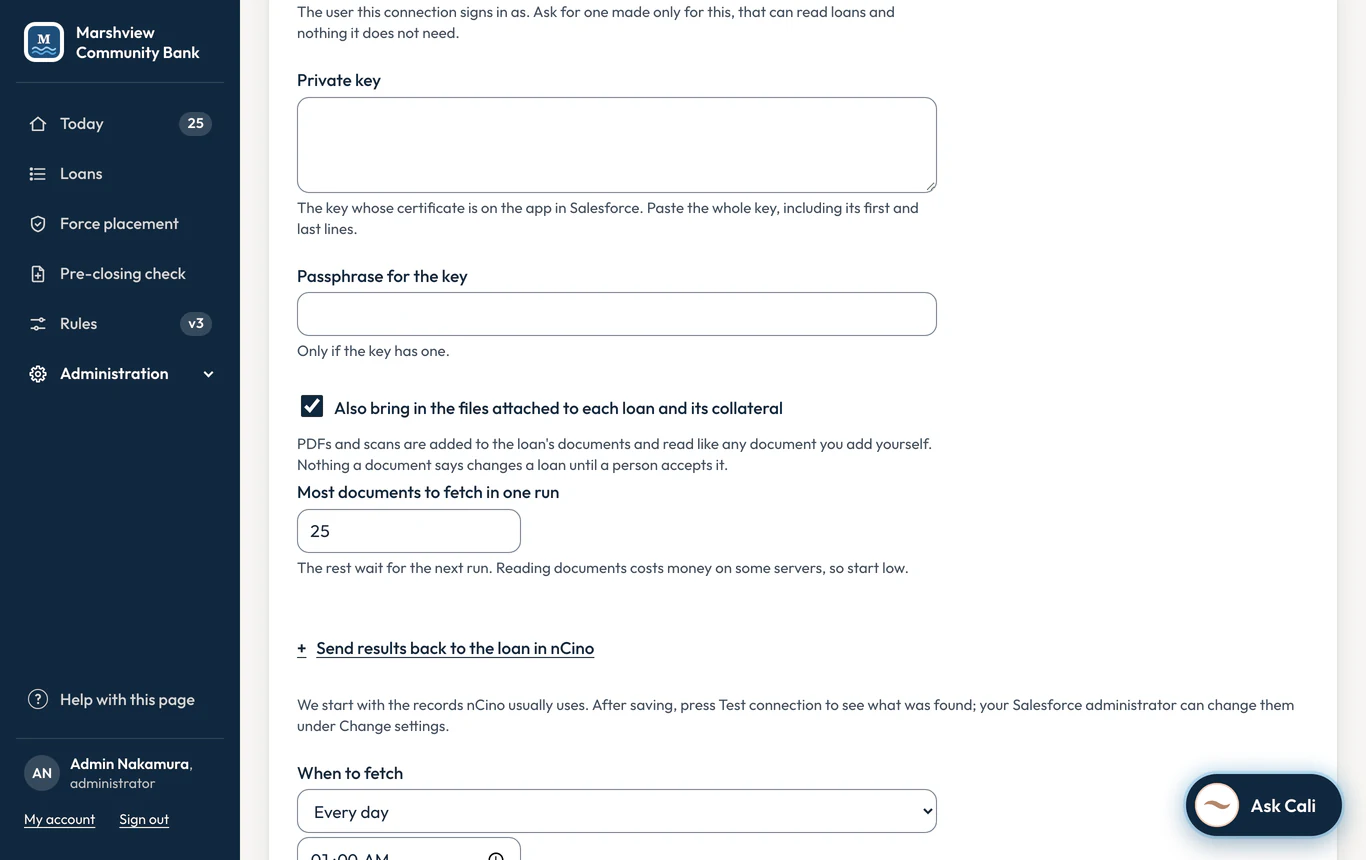
It can also bring in the files attached to each loan, read like any document you add. -
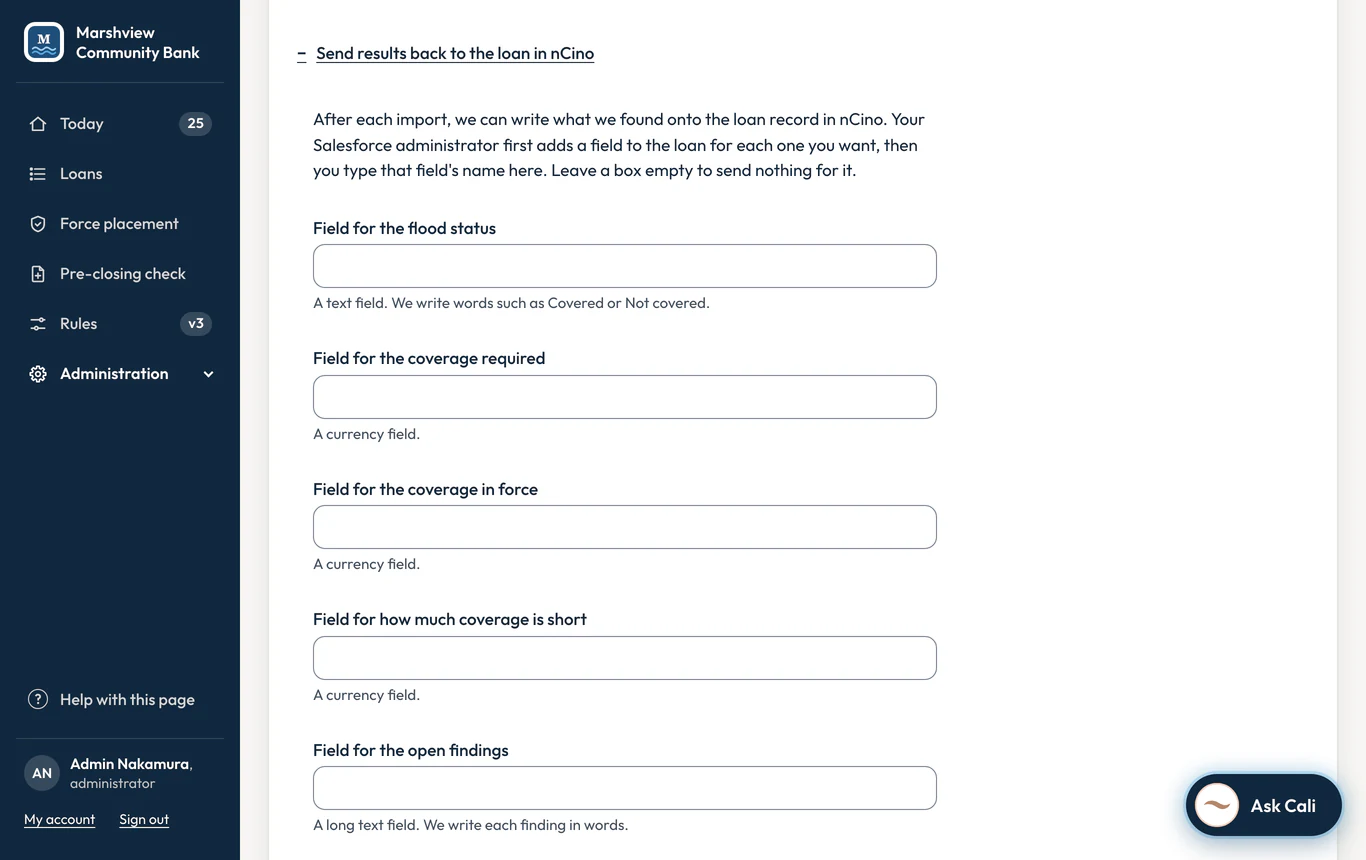
One setting sends each loan’s result back onto its record in nCino, a field at a time, starting with its flood status. -
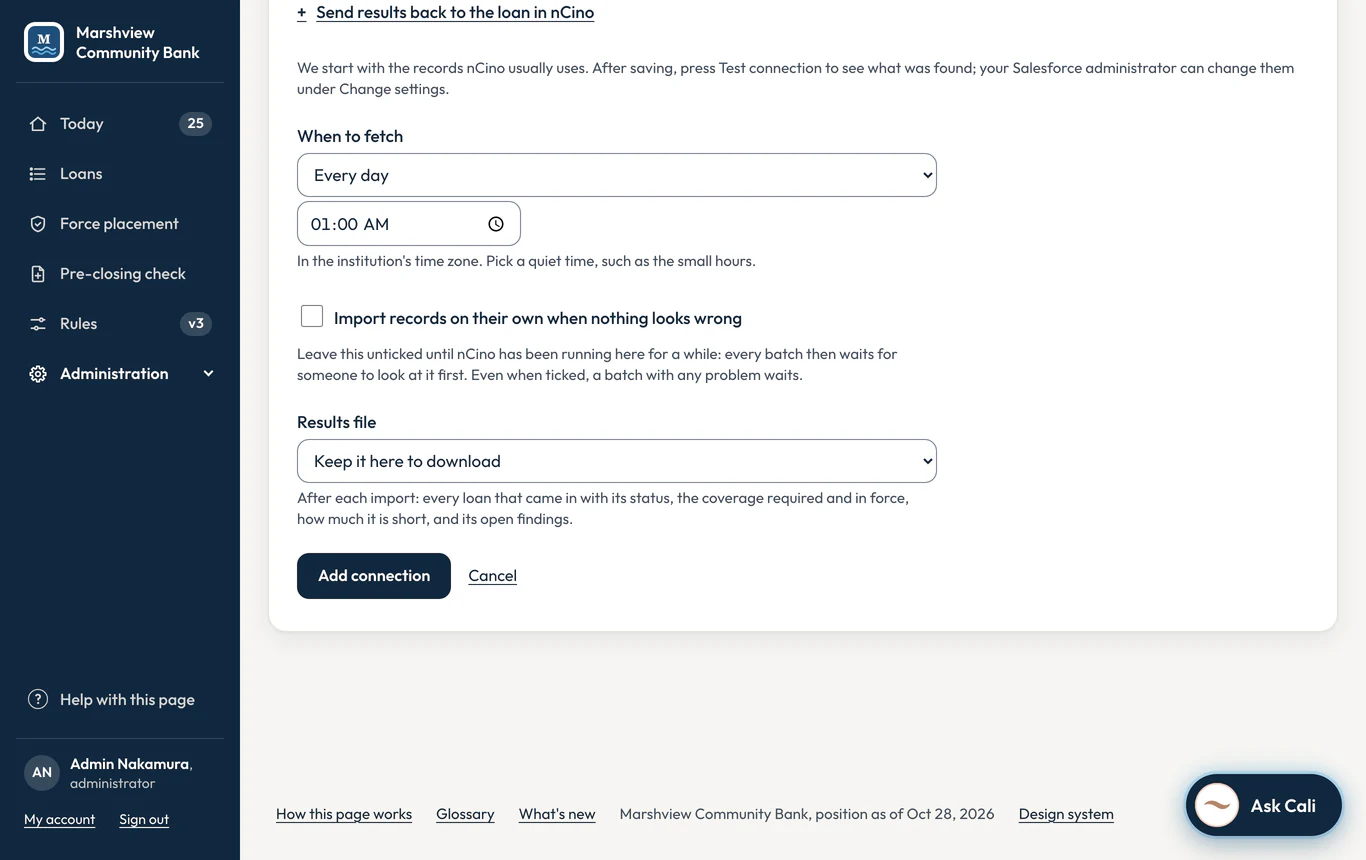
Any other system gets a results file after each import: status, coverage required and in force, and what is short. -
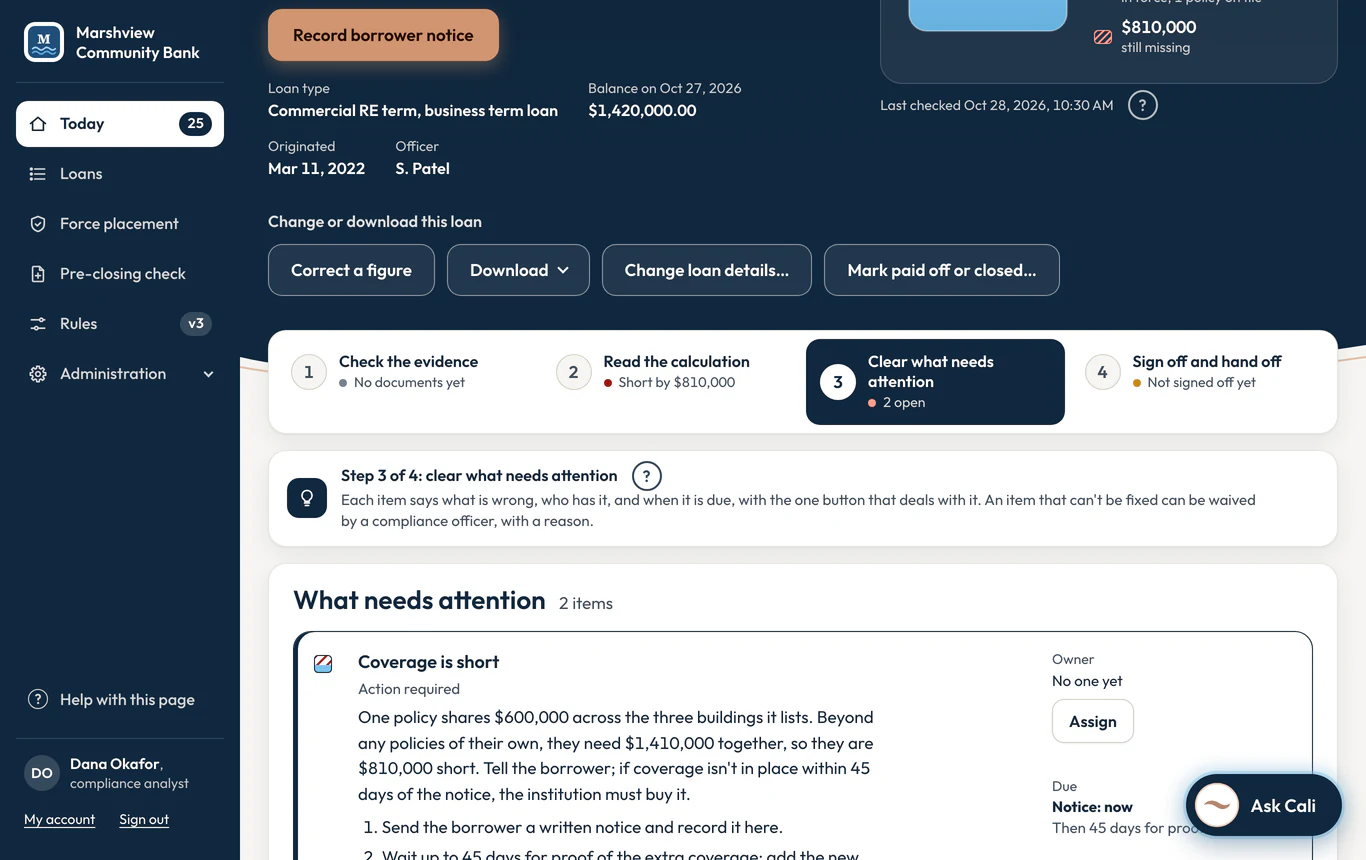
However a loan arrives, it is checked the same way, in the same four steps. -
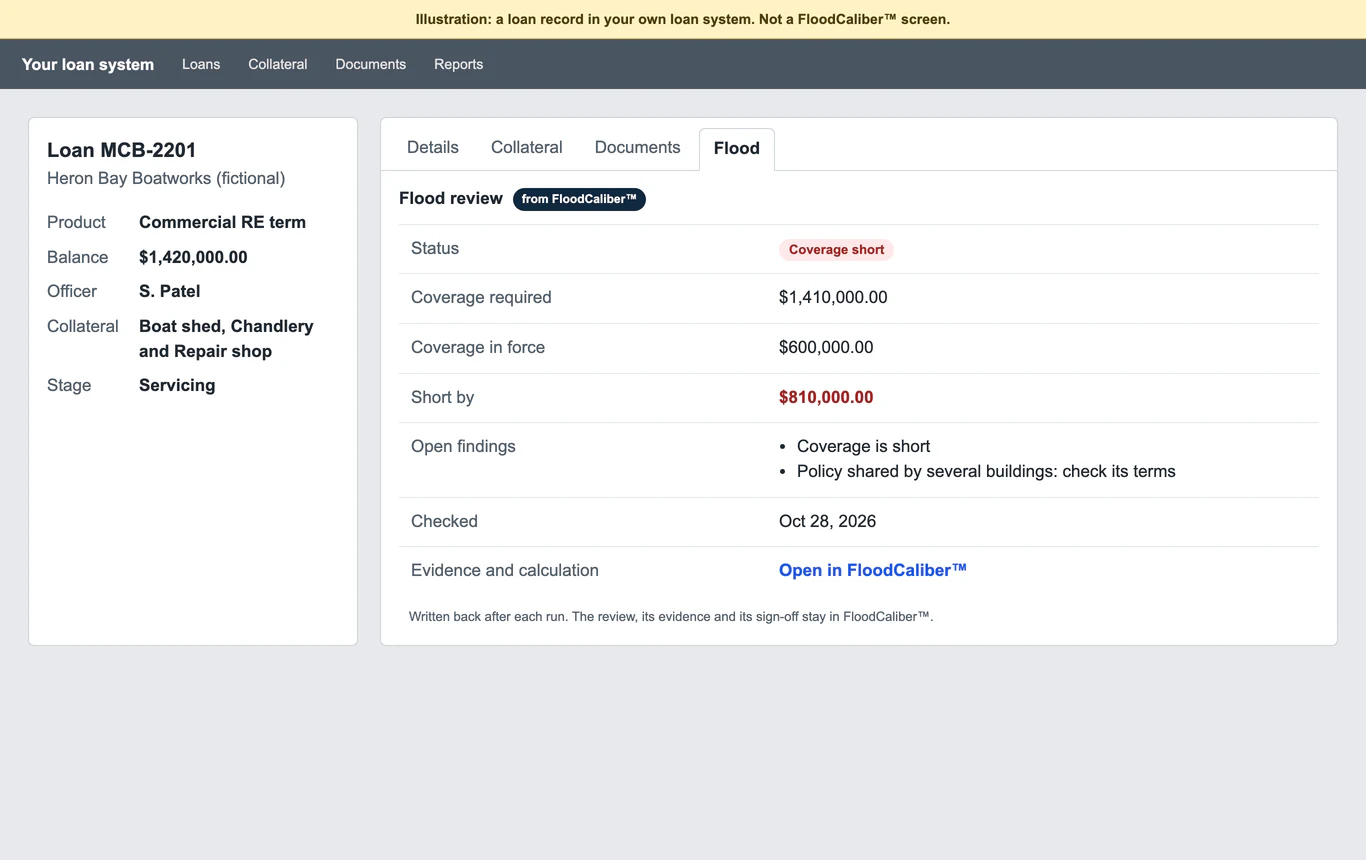
Your lenders see the result on the loan record they already use. (An illustration, not a FloodCaliber™ screen.) -
Your lenders stay in your loan system.
Loans arrive on their own, every one is checked the same way, and the result goes back onto the loan record. It all runs inside your environment.


